

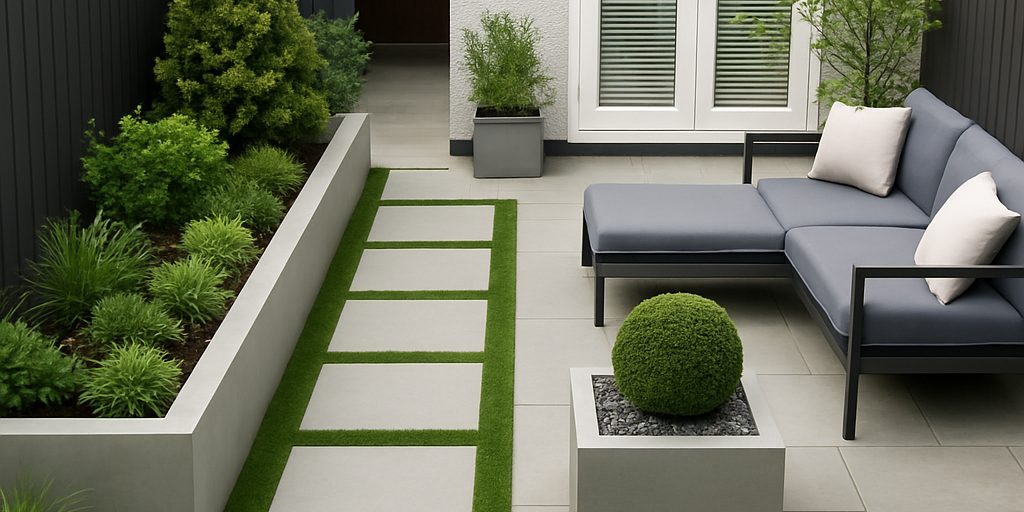
Planning garden work comes with one big challenge — imagining the finished result before a single spade goes into the ground.
Even with experience, sketches, or example photos, many homeowners find it difficult to clearly picture how materials, layouts, and finishes will actually look in their space. That uncertainty often slows decisions or leads to second-guessing later.
That’s exactly why we developed the Lakeside Garden Visualiser.
This tool wasn’t created as a gimmick or a sales shortcut. It was built as a practical planning aid, designed to help customers explore ideas, compare options, and arrive at clearer decisions before committing to work.
👉 Try the Garden Visualiser here:
https://www.lakesidelandscapes.com/ai-garden-visualiser/

Why We Built the Visualiser
After years of working in gardens across Ayrshire and the surrounding areas, we noticed the same patterns again and again:
- Customers had ideas but struggled to visualise them
- Material choices felt overwhelming
- Early conversations relied more on imagination than clarity
We wanted a better way to bridge that gap — something that allowed people to see possibilities, not just talk about them.
The goal was simple:
help customers feel confident about their choices before moving forward.
How the Garden Visualiser Works
The visualiser uses artificial intelligence to generate realistic design concepts based on a photo of your actual garden.
Rather than applying generic templates, it works with:
- Your layout
- Your proportions
- Your existing surroundings
This means the results feel grounded and relevant — not like a showroom mock-up dropped into the wrong place.
Whether you’re considering new fencing, patio paving, block paving driveways, or low-maintenance finishes, the visualiser provides a realistic starting point for discussion.

How to Use the Tool
Using the Garden Visualiser is straightforward and takes only a few minutes.
1. Upload a Photo of Your Garden
Take a clear photo of the area you’d like to explore — this could be a patio, driveway, lawn, or a full garden space.
2. Choose a Design Direction
Select from design prompts such as:
- Modern low-maintenance gardens
- Fencing and boundary upgrades
- Patio and paving layouts
- Decking and outdoor seating areas
- Decorative aggregates and finishes
Each option helps guide the AI toward a specific type of redesign.
(For example, you can preview different fencing styles or compare block paving colours before deciding.)
3. View Your Generated Design
The tool creates a visual concept showing how that idea could look in your garden.
This isn’t a final construction drawing — it’s a realistic concept designed to spark discussion and refinement.
What the Visualiser Is (and Isn’t)
The Garden Visualiser is designed to support early-stage planning, not replace professional advice.
It is:
- A way to explore ideas visually
- A tool for comparing styles and materials
- A starting point for informed conversations
It isn’t:
- A final specification
- A fixed quotation
- A one-click design solution
Once you’ve found a direction you like, our team can advise on feasibility, materials, costs, and next steps, including site visits and proper measurements.


Why This Helps Our Customers
Customers who use the visualiser often find that:
- Decisions feel easier and less rushed
- Material choices become clearer
- Site visits and quotes are more focused
Instead of starting with “I’m not sure what I want,” the conversation becomes:
“This is close — how do we get it there?”
That’s where good projects begin.
Try the Garden Visualiser
If you’re planning changes to your garden and want to explore ideas before committing, the Lakeside Garden Visualiser is there to help.
Upload a photo, try a few styles, and see what’s possible — before any work begins.
👉 Launch the Garden Visualiser:
https://www.lakesidelandscapes.com/ai-garden-visualiser/
If you’d like to speak to us once you’ve explored a few ideas, you can contact the team here:
https://www.lakesidelandscapes.com/contact/